Jewelry store POS
Point of sale built for a jewelry counter.
A jewelry sale is not a grocery sale. There is a trade-in to credit, a deposit on a ring that is still being made, a layaway, a customer who wants the receipt texted. JewelTrak is a point of sale system written for exactly that, and it runs on the iPad in your hand as well as the computer at the counter.
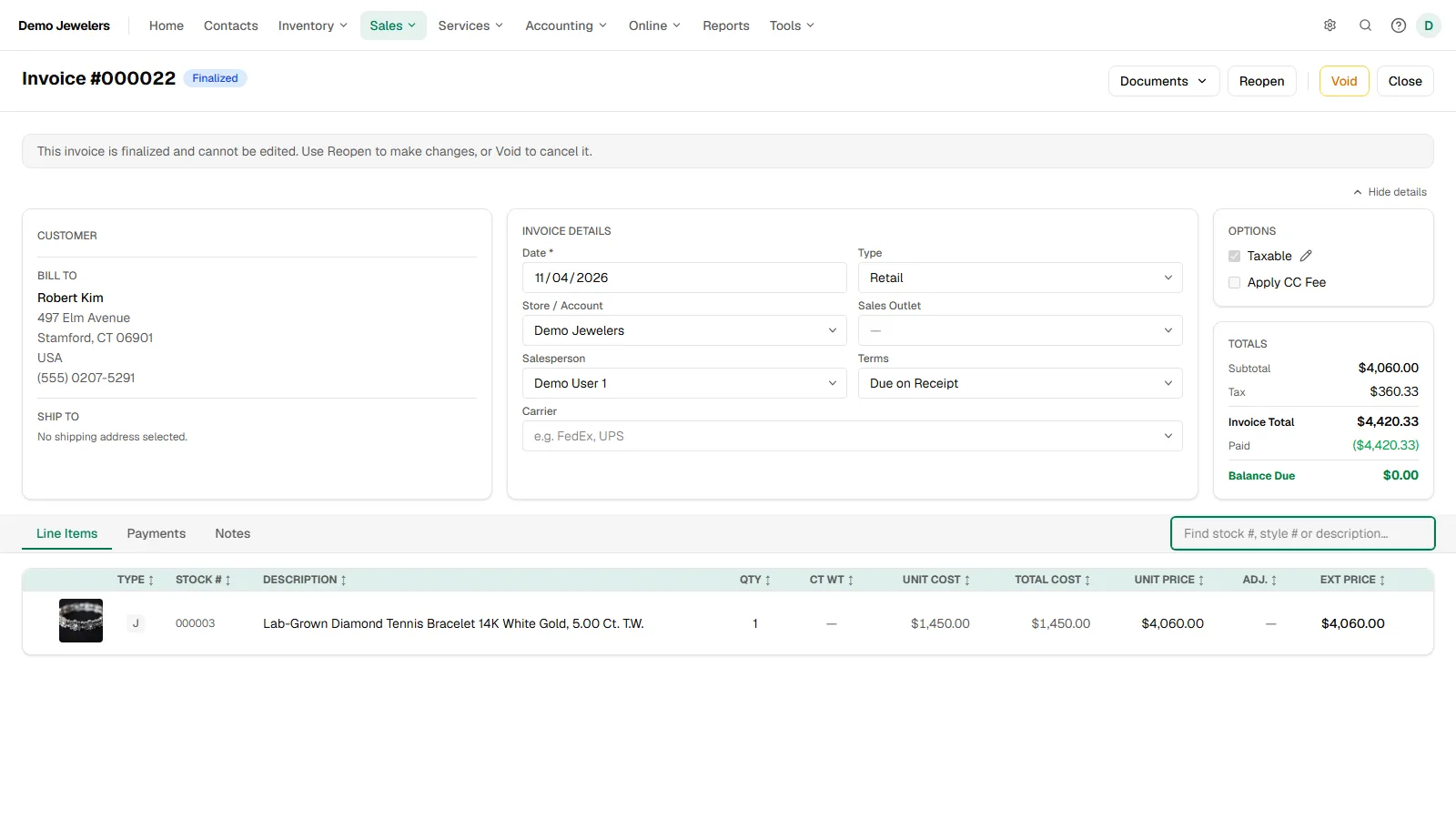
Ring up a sale in seconds
Scan or search
Scan the tag barcode to add a piece, or search by stock number, style number or description. The phone camera works as a scanner too.
Find the customer fast
Look a customer up by name or phone number, or start a sale from their record. New customers fill in from a scan of their driver license.
Their whole history in one place
Past purchases, repairs, memos, appraisals and their wishlist are on the customer record, so you know who you are talking to.
Memos that become sales
Let a customer take a piece home on approval with a memo, then turn the memo into the invoice when they keep it.
Every way your customers pay
Cards, in person or remote
Take cards on a countertop card reader, key them in, or send a payment link by text or email.
Cash, check, wire and more
Record cash, check and wire payments, and split one sale across several payments. Balance due is always in view.
Gift cards and store credit
Sell gift cards, issue store credit, and redeem either one as a payment on any later sale.
Pay by QR code
Print a QR code on the invoice so a customer can pay by card, Venmo, PayPal, Cash App, Zelle or wire on their own phone.
The parts of a jewelry sale other POS systems miss
Trade-ins
Take a customer piece in trade right on the invoice. If you give more credit than it is worth to close the sale, the customer sees the generous number while your gross profit stays honest.
Layaways
Hold a piece with a deposit, set a payment schedule and record payments as they come in. It becomes the invoice when it is paid in full.
Deposits on custom work
Take a deposit on a custom job before there is an invoice. It applies itself when the job is done.
Returns and exchanges
Return one piece and sell another on the same invoice, then refund the difference or issue store credit.
Sales tax and the books, handled
Sales tax done right
Your state rate plus local surtax over its threshold, with out-of-state, wholesale and resale certificate sales taxed correctly.
Receipts by text or email
Send the invoice as a PDF from your phone or computer, or print it at the counter.
Daily sales and commissions
A daily sales summary, sales by salesperson and commission reports, without exporting anything.
QuickBooks Online
Invoices and payments sync with QuickBooks Online, so your accountant is not retyping the day.
Common questions
Yes. JewelTrak runs in the browser on an iPad, iPhone, Android phone, Mac or PC, and installs like an app on a phone or tablet. There is nothing to install on a server.
JewelTrak works with a countertop card reader for in-person payments, and you can also key in a card or send a payment link. We help you set up the reader when you start.
Yes. Trade-ins go on the invoice as their own line, and layaways have their own screen with a deposit, a payment schedule and the payments received, becoming an invoice when paid in full.
No. The point of sale, inventory, repairs, custom jobs, memos and appraisals are one system, so a sale takes the piece out of stock and updates every report.
Let's see if it fits your shop.
Tell us about your store and we'll walk you through JewelTrak with your kind of work in mind. We can bring your data over from the system you use now.
Request a demoMore about JewelTrak